You can exclude answers from specific users or groups by clearing the selection of the ones you do not need from the filter lists directly underneath the session name at the top:
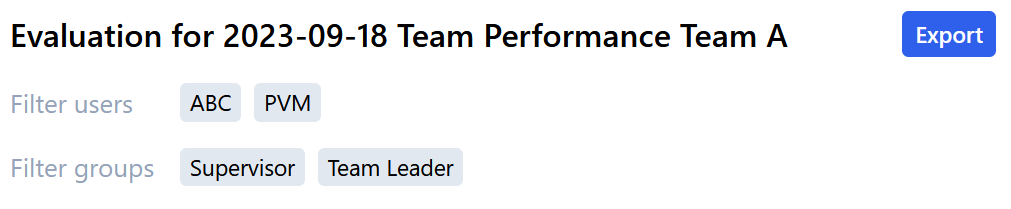
Filter users
Per default, all users that submitted their answers for a session are selected. All selected users have a Grey background color.
▪To hide the feedback of a user, click on that user.
The Grey background color disappears and the corresponding answers are removed from the evaluation.
Filter groups
Per default, all groups available in a Session are selected and have a Grey back ground color.
▪To remove the feedback of a group, click on that group.
The Grey background color disappears and the corresponding questions and answers are removed from the evaluation.
Filter Checklists
Per default, all checklists of a session are selected and have a Grey back ground color.
▪To remove the a checklist from the evaluation, click on that checklist.
The Grey background color disappears and the corresponding questions and answers are removed from the evaluation.