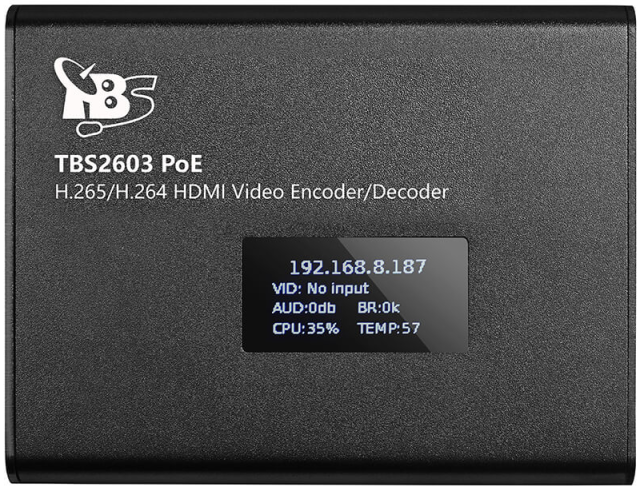
A sleek and powerful HDMI to LAN converter is manufactured by TBS. This little device offers H.265/H.264 HDMI Video Encoder + Decoder, PoE, NDI®|HX supported
Configure TBS
•Connect the device to a PoE port of a network switch and wait for it to boot.
•Use a browser to log in to the device, using the IP number displayed (default login: admin/admin)
•Navigate to Options - System and enter an appropriate IP-number, compatible with the camera network.
•Under Options - System, enter the IP number of the manual time server in the camera network (per default, our VSP recording station: 192.168.0.2)
•Still under Options > System, set the manual time server slider to ON.
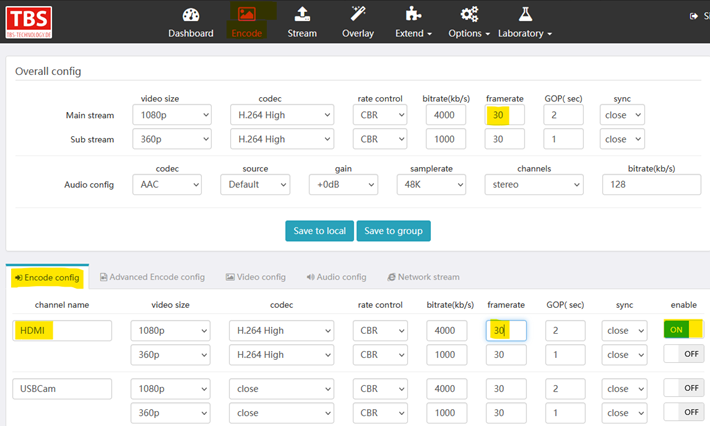
•Navigate to Encode > Encode Config and activate the HDMI stream.
•Set the framerate to 25 and click Apply to all.
•Navigate to Encode > Advanced Encode config and activate the Law Latency slider for the HDMI stream.

•Switch to the Stream tab and select the Play URL tab.
•Copy the URL required for accessing the RTSP stream from within VideoSyncPro Studio.
•Switch to VideoSyncPro Studio to create a streaming source with this URL.