Manual adjustments, sometimes results in faulty time information. So it happens, that one or more Events do have an offset time that lays before its onset (Offset < Onset).
INTERACT offers a routine to check your data-file for errors like this:
▪Choose Additional - Extensions - Functions  Checking Routines - Check all start and end times to run this routine.
If any errors where found, they will be displayed in a separate window like this:
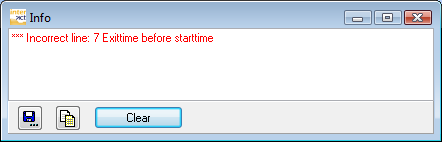
The line number of the currently selected line is displayed in the lower left corner of your INTERACT data-file window.
▪Locate the troublesome line.
▪Correct the time value(s) manually.
If no errors are found, no message appears.