In statistics, the intraclass correlation (or the intraclass correlation coefficient, abbreviated ICC), is a descriptive statistic that can be used when quantitative measurements are made on units that are organized into groups.
IMPORTANT: The ICC routine works for scale based, numerical Codes only. If your data does not contain Classes with numerical data, the ICC cannot be calculated.
The ICC routine describes how strongly units (Events), in the same group, resemble each other. While it is viewed as a type of correlation, unlike most other correlation measures, it operates on data structured as groups, rather than data structured as paired observations.
oThe ICC reliability routine is designed for interval based ratings (numeric values only).
oOnly one Class is analyzed per run.
oThe data to be analyzed needs a value within the selected Class for every point in time.
oThe number and order of Events between raters must be identical! Using the time sampling method, this is a given situation. For Event based data, things are more complicated.
oA continues string of Events is required, this means NO gaps between Events.
oRated scale values are considered numerously, which means that 2 is more like 1 than 3 is.
oYou can compare multiple raters simultaneously
The ICC routine is based on Wirtz, M & Caspar, F (2002) and uses the mean sums of squares and degrees of freedom for a two-factorial analysis of variance, with the factors observer and people for calculation. The ICC is a measure of reliability that ranges from 0 to 1.
Perform ICC
•Open your data-files, containing compatible data.
or
•Select Open  > Demos > Example files for ICC calculation, to create some demo data.
•Click Analysis - Reliability - ICC to start the routine.
A dialog appears, containing a list with all Classes of your current document.
•Select the Class to be analyzed.
Note: Make sure the selected Class holds numerical values only, in order to get usable results.
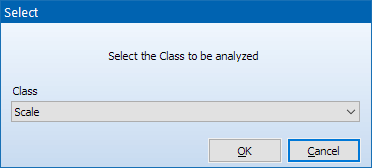
•Confirm with OK.
The next dialog asks you whether to include or ignore empty Events:
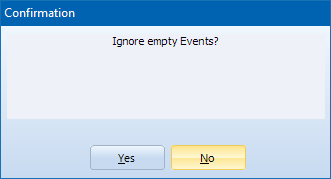
•Click No to include all Events in your data-file.
REMEMBER: All files need to have the exact same number of Events, because the comparison is made line by line!
•Click Yes to remove Empty Events from the analysis.
Note: This allows you to run the routine on data-files with an unequal number of Events for Codes of other Classes. The number of resulting Events (the ones that do contain a Code for the selected Class) still need to be identical across files!
The ICC results window appears:
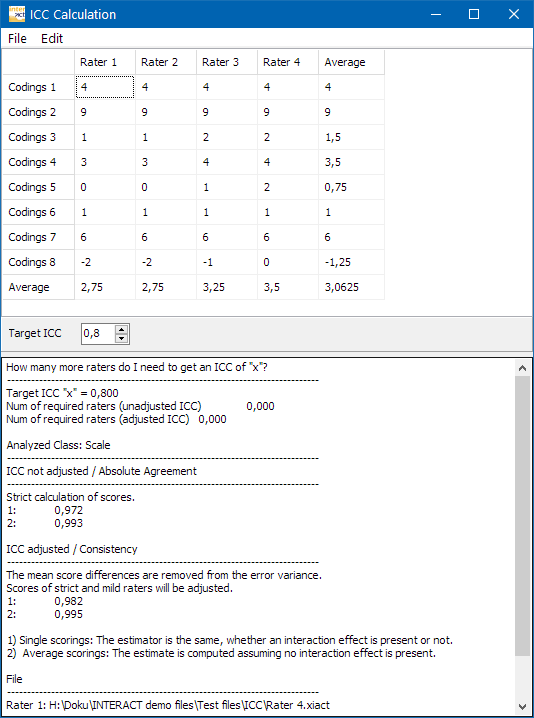
oEach Event in your data-files is listed as a line in this table.
oEach file is listed as a column, labeled Rater 1, Rater 2 and so on.
oThe resulting calculations are listed in the lower part of the dialog.
Target ICC
You can specify a target ICC value. If the data you analyzed does not reach this target value, the results dialog informs you about the number of additional observers that are required to reach that value.
Data Processing
The Edit menu offers some commands for further data processing:
oCopy results - Copies all data and the results listed below to the Windows Clipboard, so you can transfer it to another program.
oCopy data - Copies only the data grid, including the average column and average line at the bottom, so you can transfer it to another program, like MS Excel or SPSS for further processing.
oPaste table-structured data - Allows you to insert external data. This way you can use the ICC calculation for data that was not logged with INTERACT.
oCreate individual table - Enables you to manually setup a data grid:
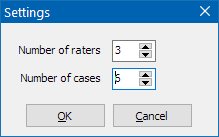
•Enter the number of raters (columns) and cases (lines) for your table.
This results in an empty table:
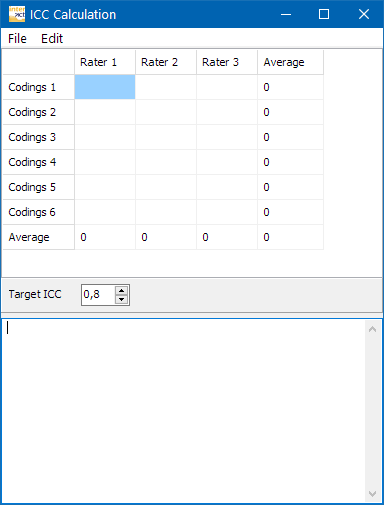
You can manually enter the values you have.
Recalculate - Command to recalculate the ICC results after manually editing your data grid.