If you want to use most of a checklist under another name, you can rename the exported copy of the original checklist.
IMPORTANT: You CANNOT import checklists that already exist.
Rename Checklist
Renaming a checklist requires two steps:
▪Export the checklist you want to duplicate.
▪Rename the exported *.json file.
▪Copy the new filename, without the its suffix!
▪Open the *.json file with a text Editor like Notepad++.
▪Change the internal title of the checklist inside this file and save your changes:
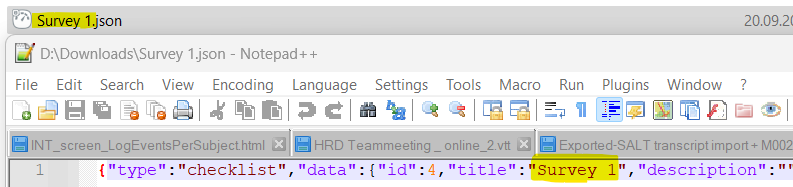
Make sure you keep the quotes around the new name.
Now you can import the previously exported checklist under a new name.