When running VideoSyncPro in a Master/Slave setup, the sources recorded by the slave(s) must be configured in Szenario(s) just like for a regular recording station.
Scenario Configuration
To ensure that automatic control works optimally during playback, the Scenario name should have the following structure:
<My Master Scenario Name>_<ComputerIDSlave>
This is the only way to ensure that the correct recording can be opened automatically on the slave computers during playback. Additions after the actual scenario name, as defined on the master, are ignored by VSP during the search for the right recording.
The search is based on the scenario name + recording time in order to identify the appropriate recording*.
*) This feature is available since VideoSyncPro Studio 4.12.15 or up. In earlier versions, the required recording must be opened manually on each Slave-computer.
Scenario Settings
Per default, for each recording, a dialog appears to name your recording.
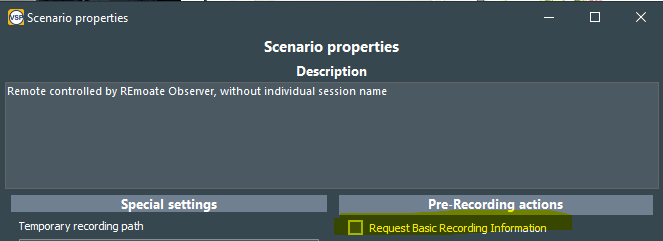
Whether this dialog appears or not, is specified in the Scenario Properties for each scenario individually.
For master-Slave recordings, consider disabling this option unless you want to enter a custom name on both computers at the start of each recording: