To get the statistics on what happens during the Pre and Post Events (in this example during the 30 seconds before each 'Imitative' period), proceed as follows:
▪Click Analysis - DataSet - Main Statistics  and select the Codes you are interested in.
▪In the Time Line Chart window, click the
▪Trim on code filter  .
.
▪Select the Class that holds your key Events ('Period' in this case) and the new 'Pre' Code ('Pre Imitative' in this case) in the upcoming dialog.
▪Confirm with OK.
▪Now all Events outside the selected periods are removed from the Time Line Chart:
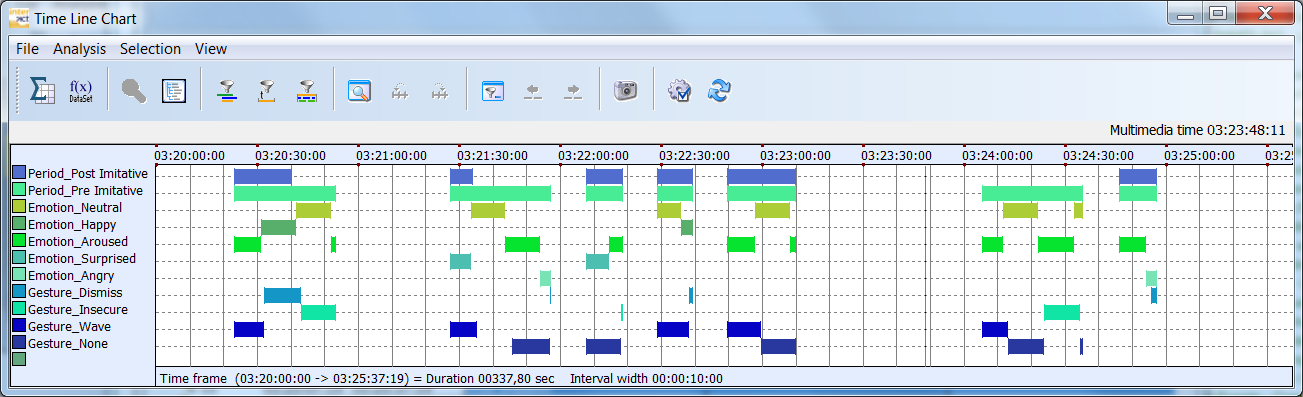
This means, that the statistics now only reflect the data currently visible, giving you the details you are looking for:
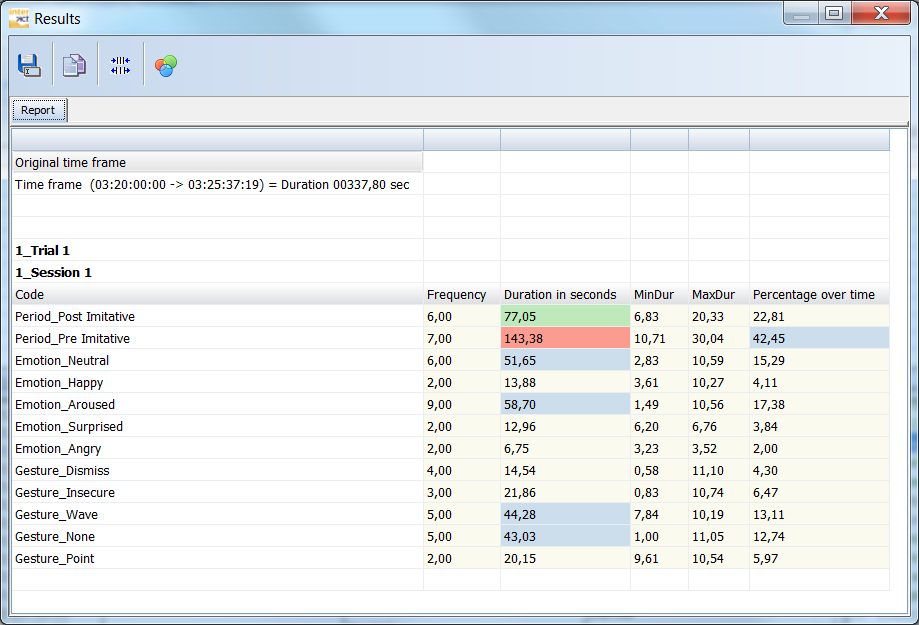
▪To get the details on the 'Post Imitative' periods, close the Time Line Chart and repeat the last steps.