Instead of a physically connected Windows device, like a webcam or a microphone, it is also possible to create a source that connects to an NDI stream with help of this Windows AV source.
This way, external devices sending an NDI stream can be recorded in VideoSyncPro Studio as well. One possibility of creating an NDI Stream without additional hardware is using NDI Tools, as described in NDI Tools Screen Capture.
•Enter an appropriate Source name.
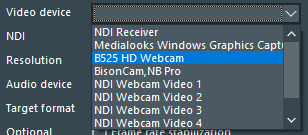
•Select NDI Receiver from the Video device list:
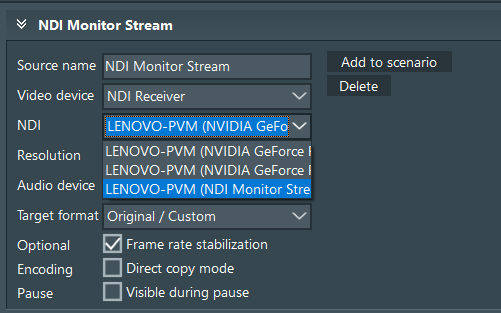
•Select the required stream fro mthe NDI list:
•Add this source to your scenario to record it along with other sources.
Note: How to setup an NDI stream using NDI Tools is described in NDI Tools Screen Capture.