It is possible to display numerical Codes like a line chart, if you make use of a numerical Class.
To handle a Class with only numerical values as a numerical Class, the Class name has to start with an ! (See Class Types for details).
!Numerical Classes
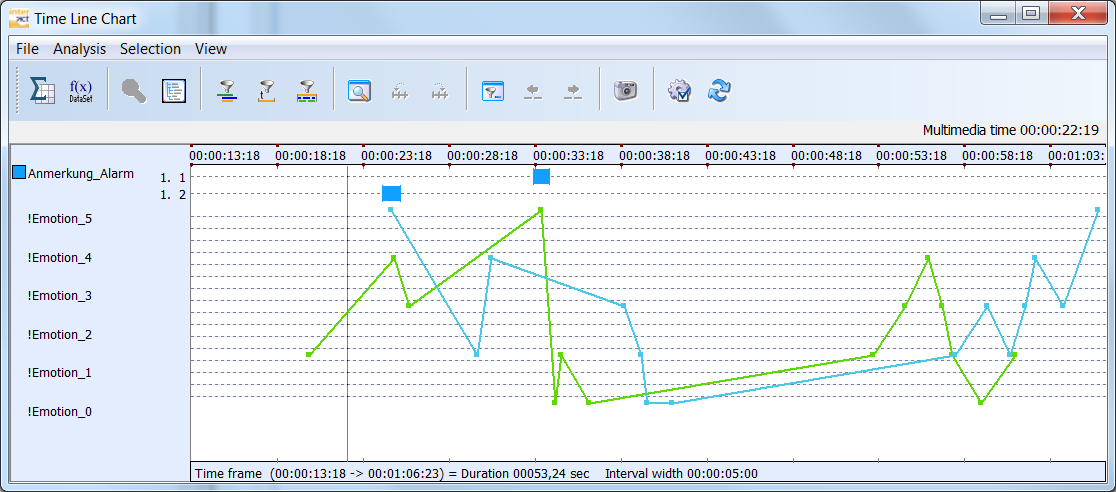
Within the Time Line Chart, numerical values (collected in a '!numerical' Class) are displayed underneath the regular Observation Codes, as a diagram like this.
!Numerical Statistics
Instead of showing the frequency, all values logged within a !numerical Class are summarized.
Example: If a numerical Class called "!EyeBlinks" is used and the following Codes are logged within this Class: 1,2,2,3.
In the statistics, you do not get the frequency for each value, instead the values itself are summarized, resulting in one variable/value combination: !EyeBlinks 8.
In case of our '!Emotion' Class, the results look like this in the Statistics on DataSets:
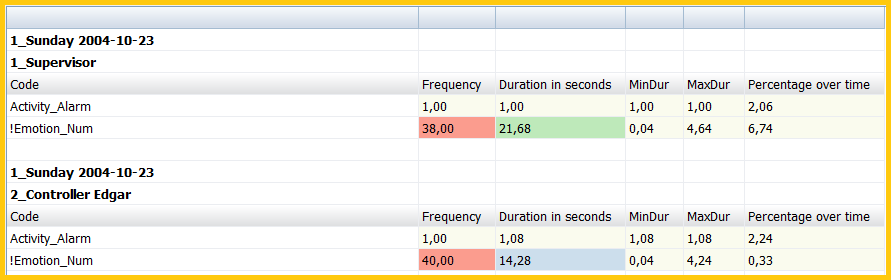
The other values are based on the total duration of Events that contain any value within that Class.
Summarizing the values is great if your values represent counts, but not necessarily for ratings.
Other visualization options
Through the Full statistics, INTERACT offers a huge range of additional charts, allowing you to visualize you data exactly the way you want!
Rating Scales
Those usually also contain numerical values, so starting those Class names with a ! gives you the graphical visualization of numerical Classes.
But INTERACT also offers a special analysis routine for scale based statistics. In order to make use of this, your Class name needs to end with '_Num'.
▪Rename your Class by adding '_Num' to the Class names that contain scale values, e.g. turning the Class '!Emotion' into '!Emotion_Num'.
▪Select Additional - Extensions - Functions 
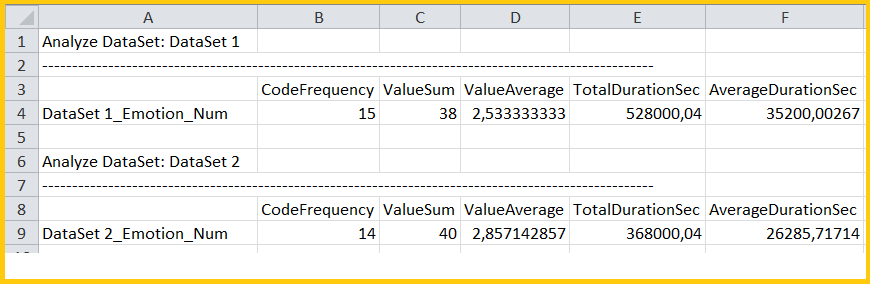
▪> Special Data Analysis > Numerical Scale Statistics from the menu, to get the following report:
| TIP: | Details about special Rating based coding systems can be found in the section Rating Scales. |