In this example, each behavior type is represented by a Class column in which the scales are logged. Each Event holds exactly one value.
This simple setup is based on a single code definition file in which you enter the information you want to log. As long as you have only one or two behaviors to rate with a number, this works just fine:
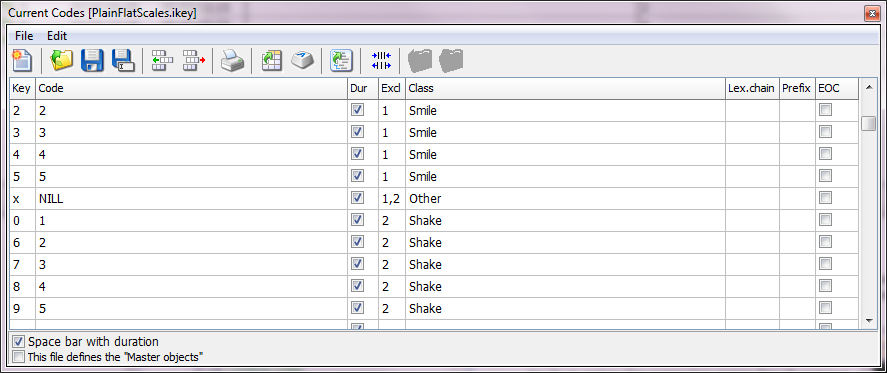
Because you cannot rate a different scale for the same behavior simultaneously, we want to make them mutually exclusive Codes. We used the Exclusion List column to assign all scales for the same behavior to the same exclusion list (named "1" and "2").
For all situations, where none of the two behaviors are visible, we inserted a code NILL. This Code excludes both of the other behaviors. To accomplish that, both exclusion list names were entered into the Excl. column, separated by a comma.
TIP:If you work with two behaviors that cannot occur simultaneously (like smile and Cry) all you need to do is enter the same Excl. name for all entries!
Rating description
It is possible to add descriptive information (that is not logged.) to each Code. This is especially helpful for scale based Codes, but can be used for any other Code as well:
▪Add // behind the actual Code and enter the descriptive information behind it, like this:
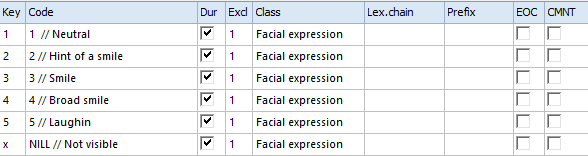
The coder sees all text:
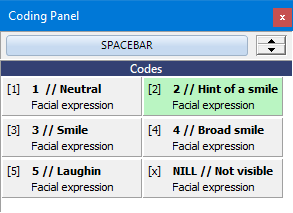
But only the value in-front of the two // is entered into your data-file.
Data Logging
Coding Mode: Standard
Coding Method: Event Sampling as well as Time Sampling
With this setup you only need to log the start of each change in behavior, because the next Event automatically closes the previous Event of any behavior that was assigned to the same exclusion list.
▪Read the section Coding consistently for further details.
Plain Rates Data
Data logged with this setup, looks something like this:
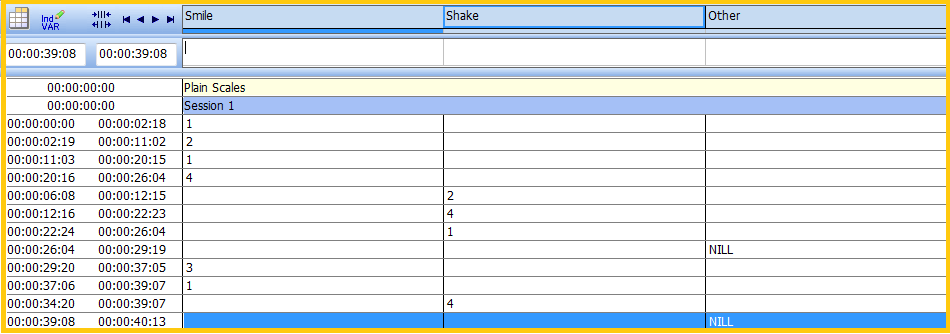
The DataSet based statistics provide you the frequencies and durations per scale, per code:
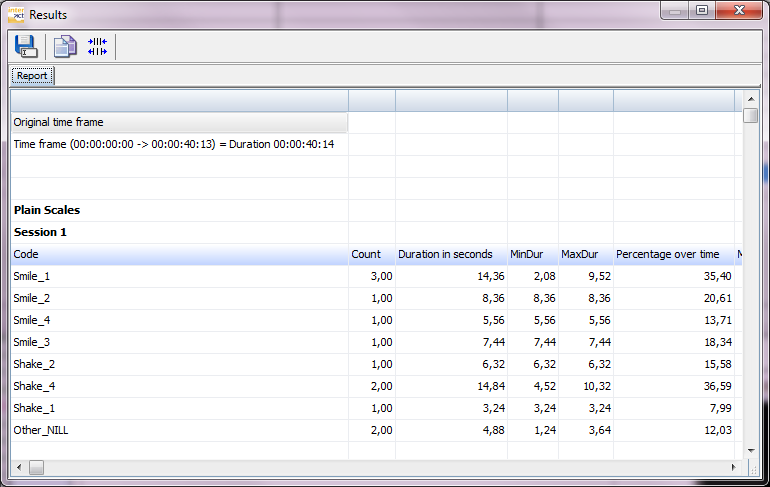
To make use of a special scale statistics report, all you need to do, is make a little change to the class names (this can be done afterwards as well!!!!):
▪Add '_Num' to the Classes that contain scale values, e.g. turning the Class Smile into Smile_Num.
▪Select Additional - Extensions - Functions 
▪> Special Data Analysis > Numerical Scale Statistics from the menu, to get the following report:
