IMPORTANT: Due to the new recording method, in which the mouse activities are recorded directly into the screen video, projects recorded with LogSquare 4 and 5 do no longer show any mouse activities in LogSquare 6 and up!
If you want to continue using older projects, you need to convert them with the help of LogSquare 5:
▪Open the *.lsq project in LogSquare Viewer v5 (or 4).
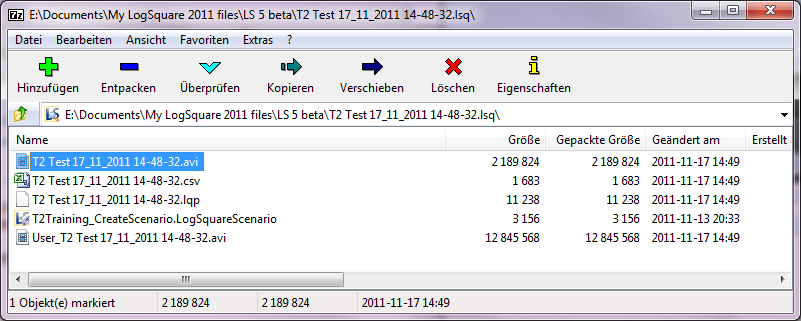
(Our example project is called T2 Test 17_11_2011 14-48-32.lsq)
▪Click File - Export Videos, to export the screen video including the mouse activities.
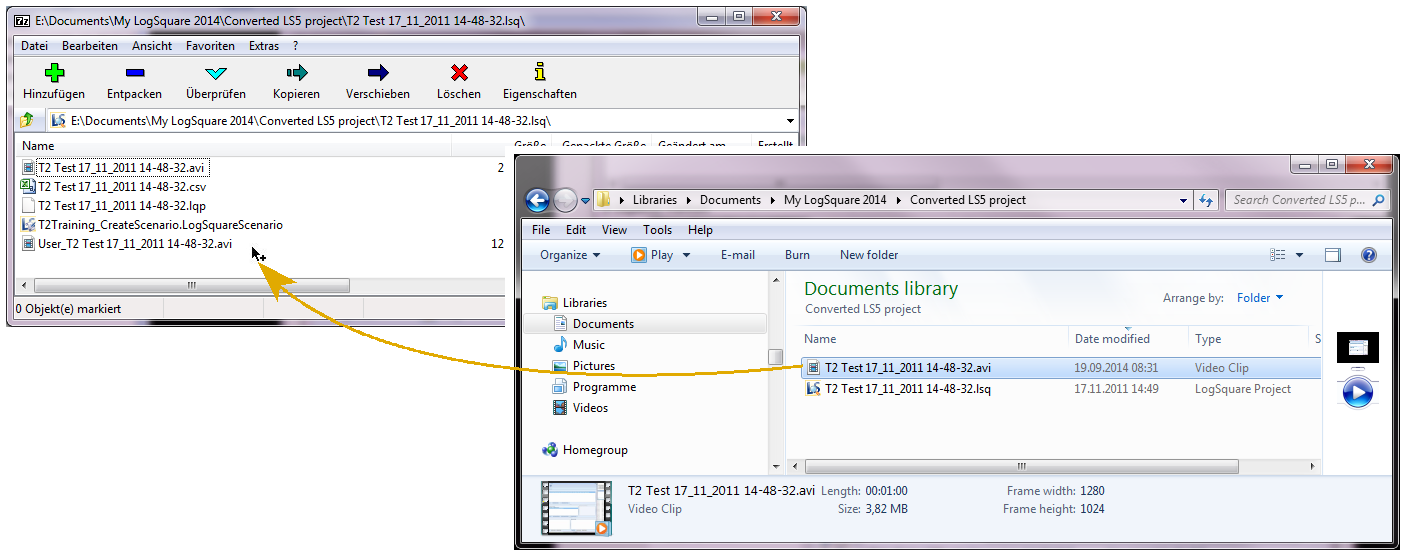
▪Save the exported video under the exact same name as the original project, except for the extension.
(In our example T2 Test 17_11_2011 14-48-32.avi)
▪Close the project.
▪Right-click the *.lsq file (which is in fact a compressed folder) in the Windows Explorer.
▪Open the package with 7zip or rename the package to *.zip to use another decompression software.
The content of the the *.lsq package is now shown in a separate window:
▪Drag the new video into this window, replacing the original avi file:
▪Confirm the message about adding the file to the container.
▪Confirm replacing the existing video.
▪Close the *.lsq container window, to save your changes.
▪Close LogSquare Viewer 5.
▪Open the updated lsq project in the new LogSquare.