You can change the way your Codes and Classes are displayed as well as the general look of the Time Line Chart:
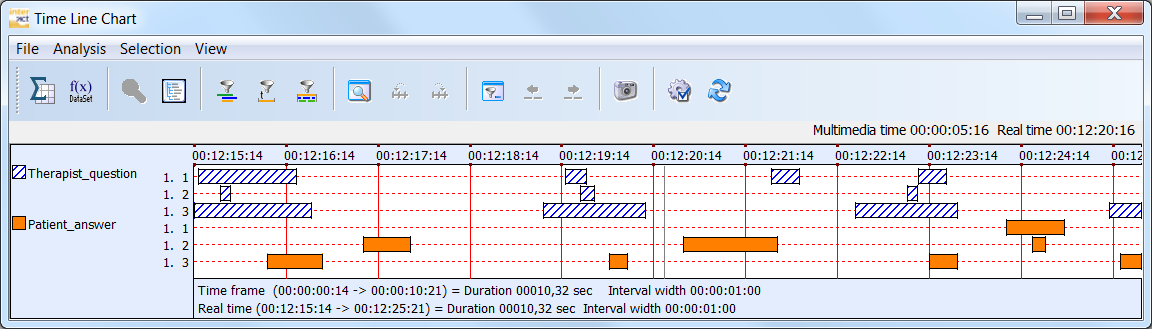
Among other things, it offers settings for Code Visualization, Grid and Legend appearance.
For example:
oDisplay Codes and Classes with a single line for each Code separately
oCumulate all Codes per Class into one line (good for mutual exclusive Codes per Class)
oShow all Codes and Classes in a single line per DataSet
oChange the width of the Code lines
oChoose between colors, colors & patterns or black & white patterns
oChange the interval width
oShow grid lines in different ways
Note: The Time Line Chart settings also offer options that influence the number of statistics, the exported values and calculations during the sequence analysis.
To do so all this, take a closer look at the Time Line Chart settings dialog:
▪Within the Time Line Chart, click Time Line Chart Settings  , to open the Options dialog.