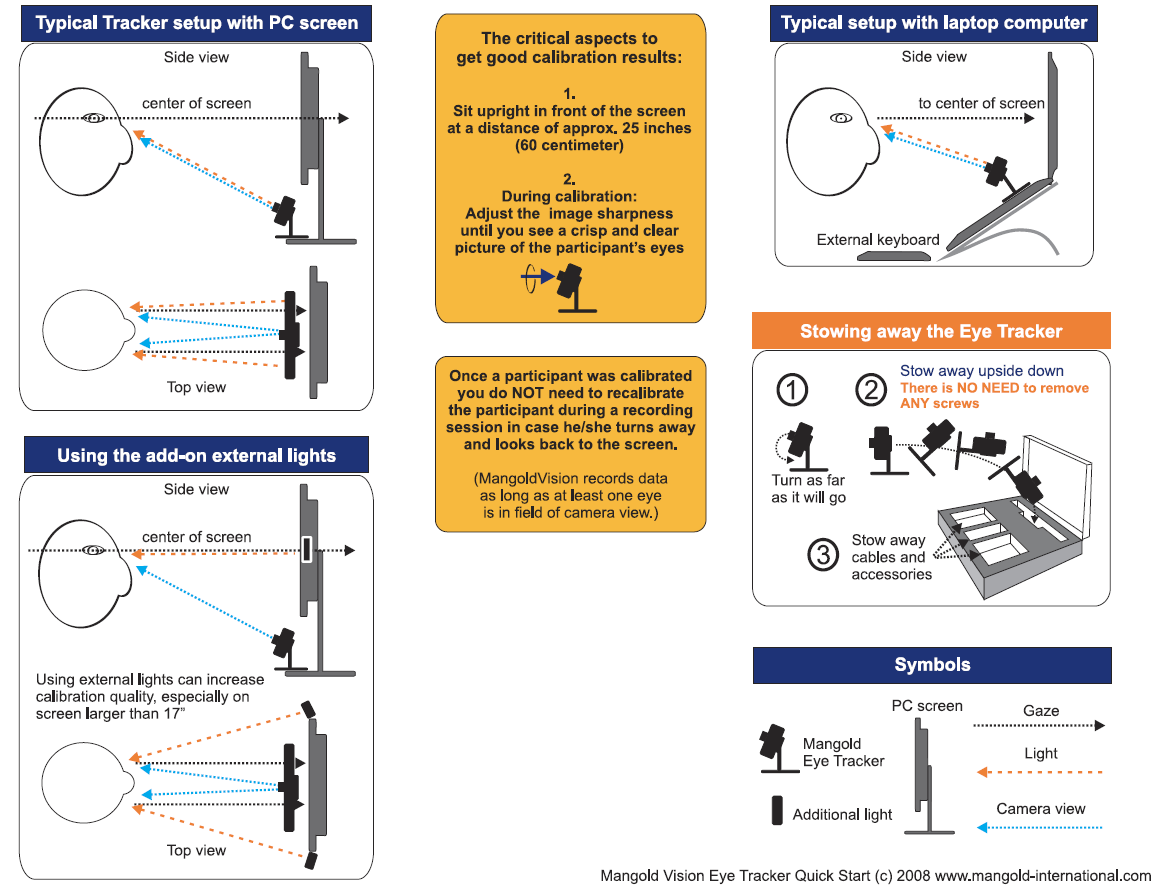
For best results, you should pay attention to some rules, as displayed in the picture below:
Headbox
The "headbox" indicates the range of movement within which the participant can move his head freely, so that the Eye Tracker can still capture the eyes of the subject. As the sampling rate increases, the headbox generally also gets smaller.
Headbox VT3 mini
Width x Height x Depth:
o60Hz : 31.5 x 22.5 x 35 cm
o120Hz : 20 x 5 x 35 cm
o200Hz : 9 x 4 x 35 cm
VT2 Position
The VT2 Eye-Tracker can be used with various monitor sizes:
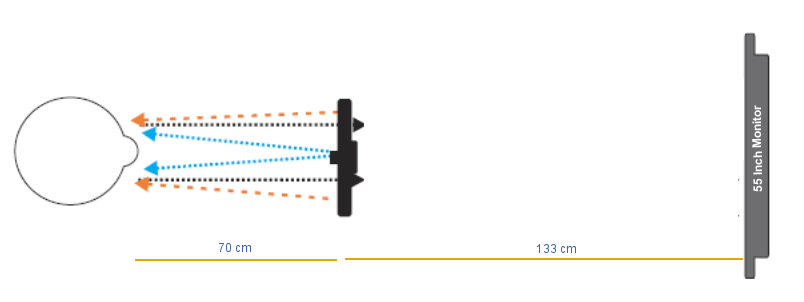
oThe distance between Eye-Tracker and participant, should always be 70 cm - independent of the monitor size.
oWith a 21 "monitor, the Eye-Tracker is positioned directly underneath the screen.
oFor other monitor sizes, the position of the eye tracker can be calculated as follows: (Screen size in inches * 3,333) - 70 = Distance between eye tracker and screen.
Example: When using a 55" monitor, the distance between monitor and Eye-Tracker is 55*3,33 -70 = 183,33 - 70 = 113 cm