The Questions group allows you to get an overview of all comments entered during the session. All Task related comments are shown per task. All comments entered outside a task period are listed under Independent Comments.
▪Click Analysis - Statistics - Questions  .
.
Project selection
A dialog listing all open projects appears, allowing you to exclude some of the opened projects from the analysis:
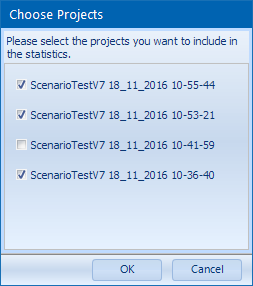
▪Make sure only the projects you currently want to compare are selected.
▪Confirm with OK, if the selection fits your needs.
A new LogSquare Questions dialog opens, showing the Questions per Task for selected project files:
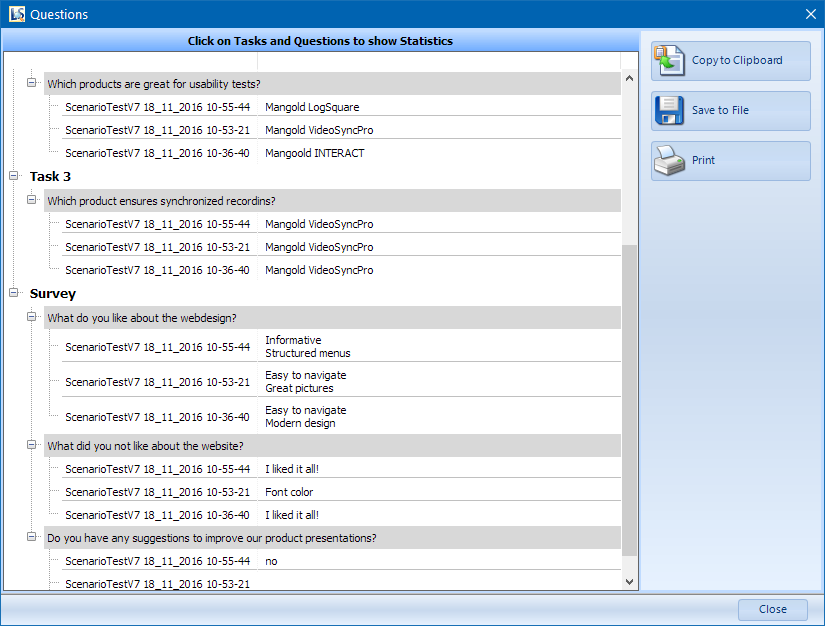
To get a summary of the different values over all projects:
▪Click on a question in one of the grey bars to get a plain statistics table:
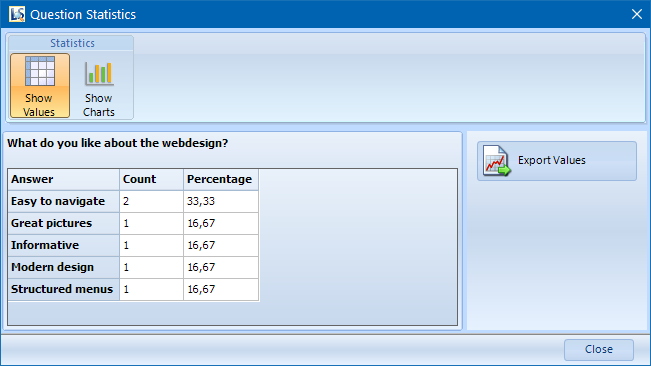
To visualize those figures in a graph:
▪Click the Show Charts button.