There are multiple way to end a recording.
Automatically
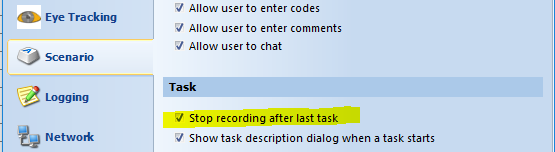
If you work with predefined Tasks, it is advisable to automatically end the recording after the last task was completed:
▪Select the option Stop recording after last task in the LogSquare Recorder Settings (on bei default):
Manually on the Participant Computer
In case there is no remote controlling moderator present or a recording must be aborted:
▪Press the PAUSE key on the participant keyboard
Or
▪Make a right click on the LogSquare in in the tray area and choose Stop record from the context menu.
Manually using the Remote Observer
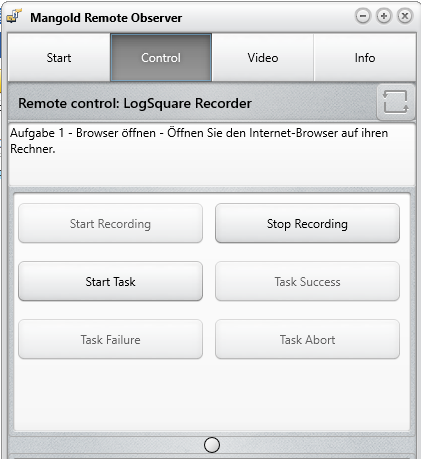
If there is a moderator using the Remote Observer, without scenario management, the recording is probably ended by the moderator at the end of a session:
▪Click on Stop recording on the Control tab in the Mangold Remote Observer application.
As soon as the recording has ended, the participant screen turns black again; informing that the recording session has ended and the data is being saved:
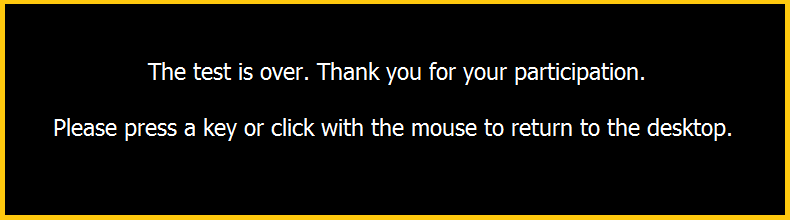
IMPORTANT: Depending on the length of the session, saving your project might take a couple of minutes. It requires copying and compressing all recorded material from the TEMP folder into your project file.
DO NOT kill the application manually: It can result in a DAMAGED project file!