All recorded material of a single session is stored within a special *.lsq project file. The contents of this package can be read by our LogSquare Analyzer.
To review a recorded session:
▪Double-click the *.lsq project file
or
▪Start the LogSquare Analyzer application.
▪Click Start - Files - Open  to open one or more *.lsq container files.
Currently Opened Projects
All currently open projects are listed underneath Start - Files - Open :
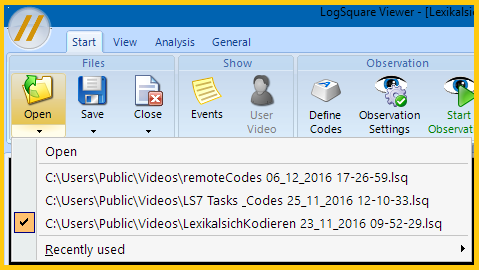
oThe name of the currently active project is displayed in the title bar and labeled with the selection marker in this list.
oIf you have opened more than one project file, you need to select a specific project to view its contents.
oLoading multiple projects enables you to compare log results in the statistics. You can display 'Duration of tasks' or 'Frequency of Codes' of multiple projects (=usually participants) in one chart!
▪Select the project of your choice and click the Play button underneath the screen recording video.
▪For details about the LogSquare Analyzer and its vast amount of functionalities, read the chapter LogSquare Analyzer.