Text field at the bottom of your INTERACT Document window. This field is used for extended comments, annotations or transcripts to the available elements (for example natural spoken word transcriptions).
Note: Every line in the Document (every DataGroup, DataSet and Event) has its own transcription field!
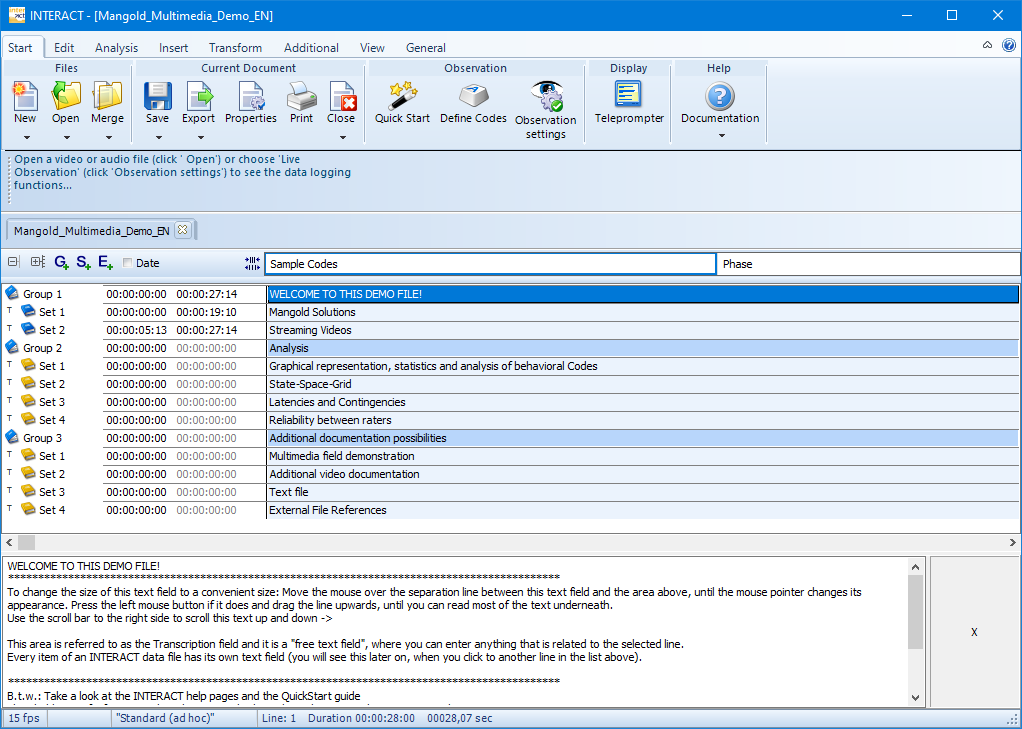
The transcript field allows you to:
oEnter a description of nearly any length (>> 10000 characters) to each line.
oLink Multimedia files for Observation, on Group or Set level.
oLink Sensor data files to the corresponding DataSet.
oUse special key words to link a multimedia file to any Event. More details about this can be found in the section Attach files as comments.
oStore Independent Variable values on Group and Set level.
oThe moment a entry was made inside the Transcription field of a specific line, a capital T is shown in front of the corresponding line.
| TIP: | For constant transcriptions, read Transcriptions and Comments to speed up the process. |